
Bring contractors into the project not your Perforce server
Run Diversion side-by-side with Perforce to give temporary and distributed teams fast, controlled access without opening your data center, building regional replicas, or getting tangled up in rigid licenses.

The value
Contractor access that fits the project not the license calendar
Add temporary teams when production needs them, control exactly what they can reach, and scale access back down when the engagement ends.
01 / COST FLEXIBILITY
Add capacity mid-project
Support short-term contractors and external studios without permanently expanding your core Perforce footprint or planning every seat a year in advance.
02 / OPERATIONAL FLEXIBILITY
Onboard without opening the server
With Diversion running side-by-side, your core team stays in its existing Perforce workflow, while contractors work through Diversion with a cleaner access model.
03 / GLOBAL FLEXIBILITY
Reach teams wherever they work
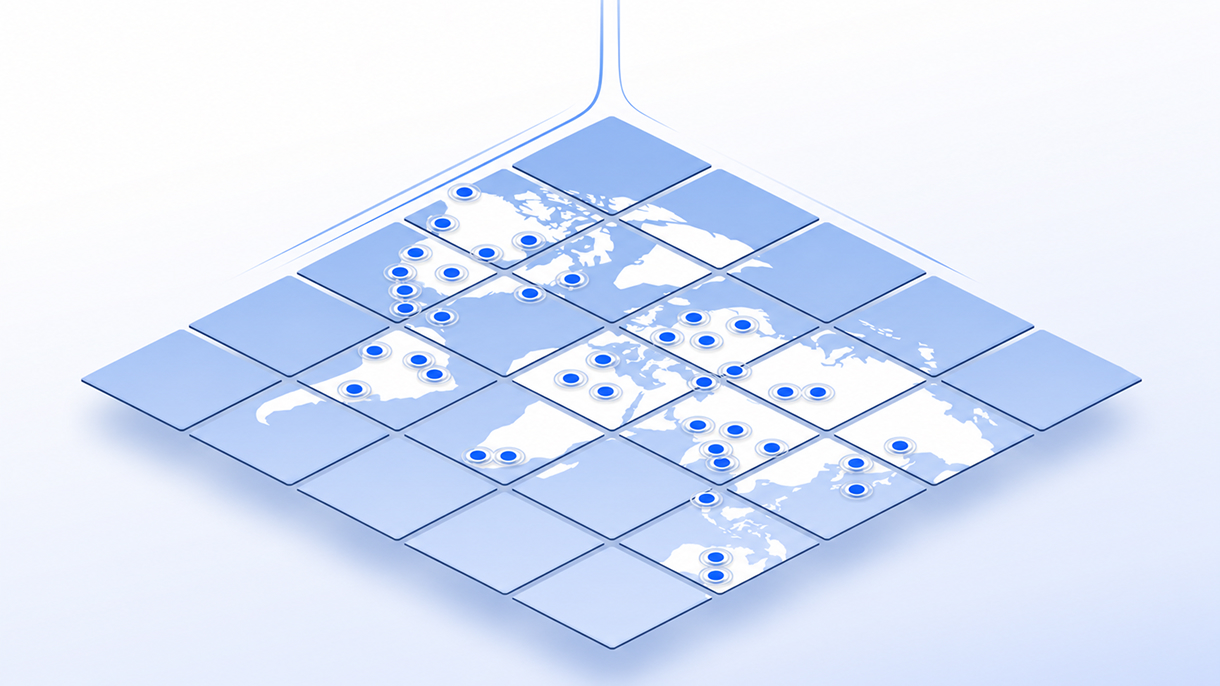
Give distributed contributors a direct path to the project without building, securing, and maintaining separate Perforce replication infrastructure in every region.
Protect your environment
Keep your P4 protections and refine contractor access
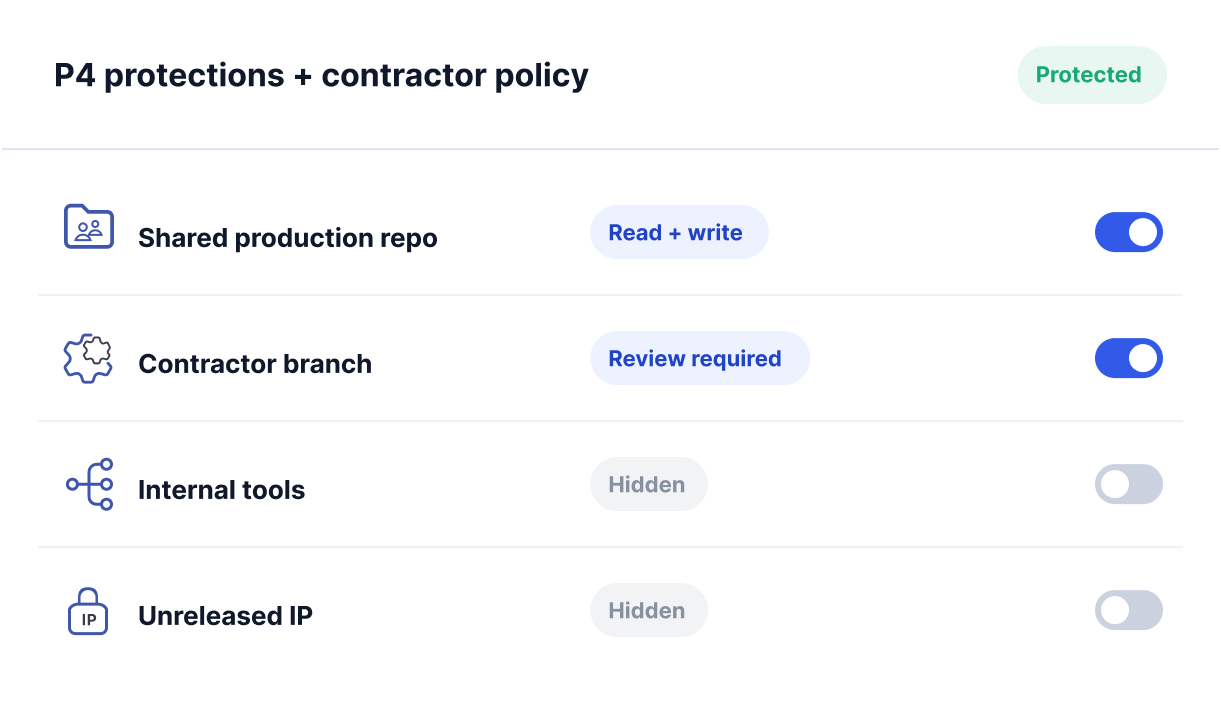
Keep your P4 protections table - Diversion honors your existing rules, then lets you refine them into granular per-contributor permissions. External teams get exactly the access they need, with no direct route into the Perforce server in your data center.
Define contractor access
Expose only the repositories and project areas required for the engagement.
Protect sensitive IP
Keep unrelated code, assets, and workstreams outside the contractor environment.
Remove access cleanly
Scale permissions down when the contract, milestone, or production phase ends.
How it works
Your Perforce workflow stays while contractor access becomes easier
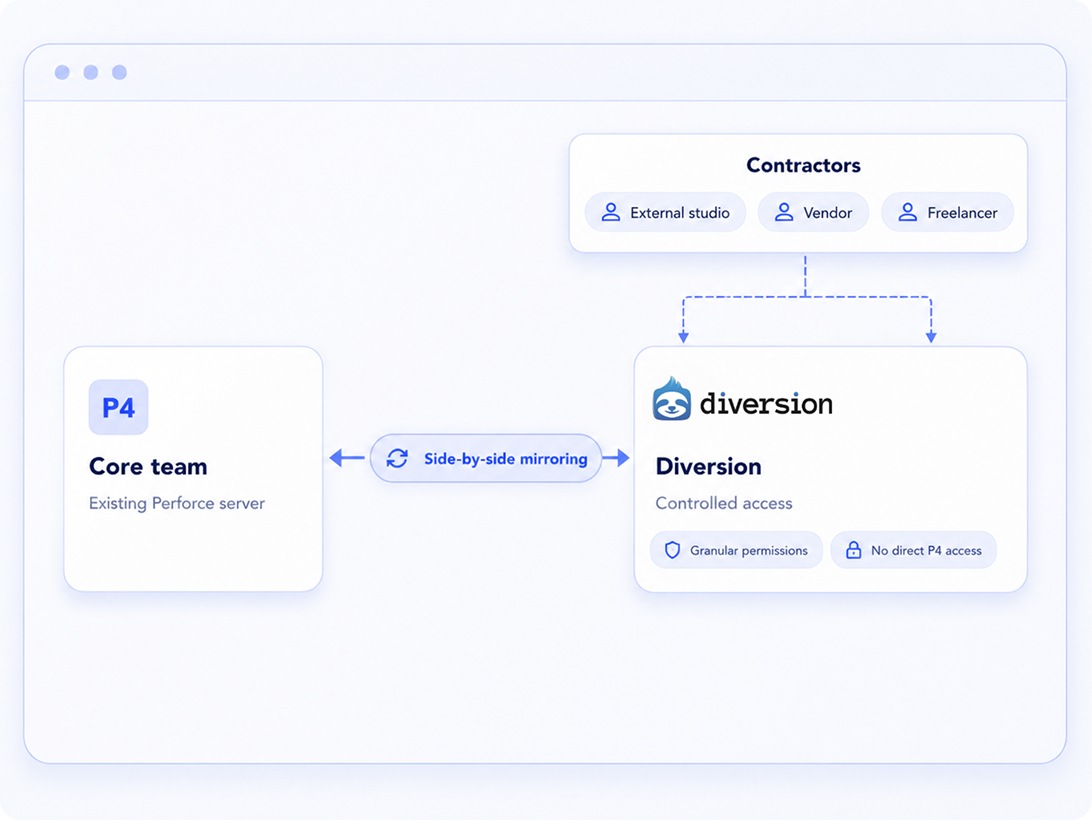
Diversion works side-by-side with your existing Perforce environment, mirroring the relevant project data and creating a controlled collaboration layer for external teams.
Keep Perforce at the core
Your internal team continues working with the infrastructure and workflows already in place.
Connect Diversion alongside it
A mirroring process keeps the relevant project data available across both systems.
Give contractors controlled access
External teams work through Diversion instead of connecting directly to your data-center server.
Scale access with the engagement
Add, adjust, or remove contractor access as the project and staffing plan change.
Globally distributed teams
Better access without the replication headache
Avoid the security, VPN, and infrastructure work that comes with opening a central Perforce environment to temporary teams around the world.
Every API call is authenticated, authorized per user and per repo, and encrypted in transit - zero-trust access backed by SOC 2 certification, with no VPN or exposed network surface to maintain. Contractors get a faster route to the project from wherever they work, while your DevOps team avoids setting up and maintaining a separate replica for every location.
for each new external team
of internal infrastructure and IP
Deployment flexibility
Use the deployment model that fits your organization
The side-by-side approach works whether your Diversion environment is delivered as SaaS, hybrid, or on-premises.
SaaS
A managed cloud environment with minimal infrastructure work for your internal team.
Hybrid
Balance controlled internal infrastructure with easier external access for distributed contributors.
On-premises
Keep deployment within your own environment when security or compliance requirements call for it.
Same goal across every model: contractors get the access they need without receiving direct access to your core Perforce server.
Frequently Asked Questions
Does our core team need to leave Perforce?
No. The purpose of this setup is to let your internal team continue working in Perforce while Diversion provides a controlled access layer for contractors and distributed teams.
Do contractors connect to our data-center server?
No direct access is required. Contractors work through Diversion, reducing the need to expose the core Perforce environment to external users.
Can access be limited to relevant project areas?
Yes. Keep your P4 protections table - Diversion honors your existing rules, then lets you refine them into granular per-contributor permissions. External teams get exactly the access they need, with no direct route into the Perforce server in your data center.
What happens when the contractor engagement ends?
Access can be adjusted or removed as staffing and project needs change, making the setup suitable for temporary or mid-year engagements.
Does an NDA rule out using SaaS?
Not necessarily. Many agreements do not require an on-premises-only workflow, and organizations often use approved SaaS services such as Gmail or Dropbox for confidential work. The final decision depends on your NDA and internal security policies, but Diversion can follow the same vendor-review process as other approved cloud tools.
Which deployment options are supported?
The side-by-side workflow can be used with Diversion deployed as SaaS, hybrid, or on-premises.
Make external collaboration easierwithout redesigning your Perforce environment
Enter your work email and the Diversion team will reach out with more details about the side-by-side contractor workflow.

