

AI-assisted game development crossed a line in 2026. Claude Fable 5 showed anyone can generate a playable 3D game from a prompt (take a look at what's going on on X), and over the year Unity wired agents straight into the professional pipeline: the Unity CLI, Unity AI, and free MCP integration. Making games through agents stopped being a novelty.
And the moment it works, you want a second agent. One upgrading your engine version, another optimizing scripts, both at once. That's where it breaks. Two Claude Code instances in the same working directory stomp each other into an unmergeable mess. The standard fix: a git worktree per agent. It works, but on a game project it drags Git LFS along with it: install it, pick your track patterns, keep a remote with quota. I ran exactly this setup for months. It works. It's also a tax you pay before a single agent runs.
Diversion removes that tax. Here's the setup, and what actually happened when I ran it.
Why Diversion fits this
Three things matter for a game repo full of multi-gigabyte assets:
- Large files are native. No LFS layer, no
.gitattributes, no track patterns. A 400 MB PSD or a folder of FBX is just a versioned file. On a real test, ~2.5 GB of assets synced with zero LFS configuration: it simply wasn't a step. - Branches are instant. Milliseconds regardless of repo size, so a branch per agent is free.
- Commits auto-sync.
dv commitadds and pushes in one step: no separate push to forget, so an agent's work is on the server the moment it commits.
The setup
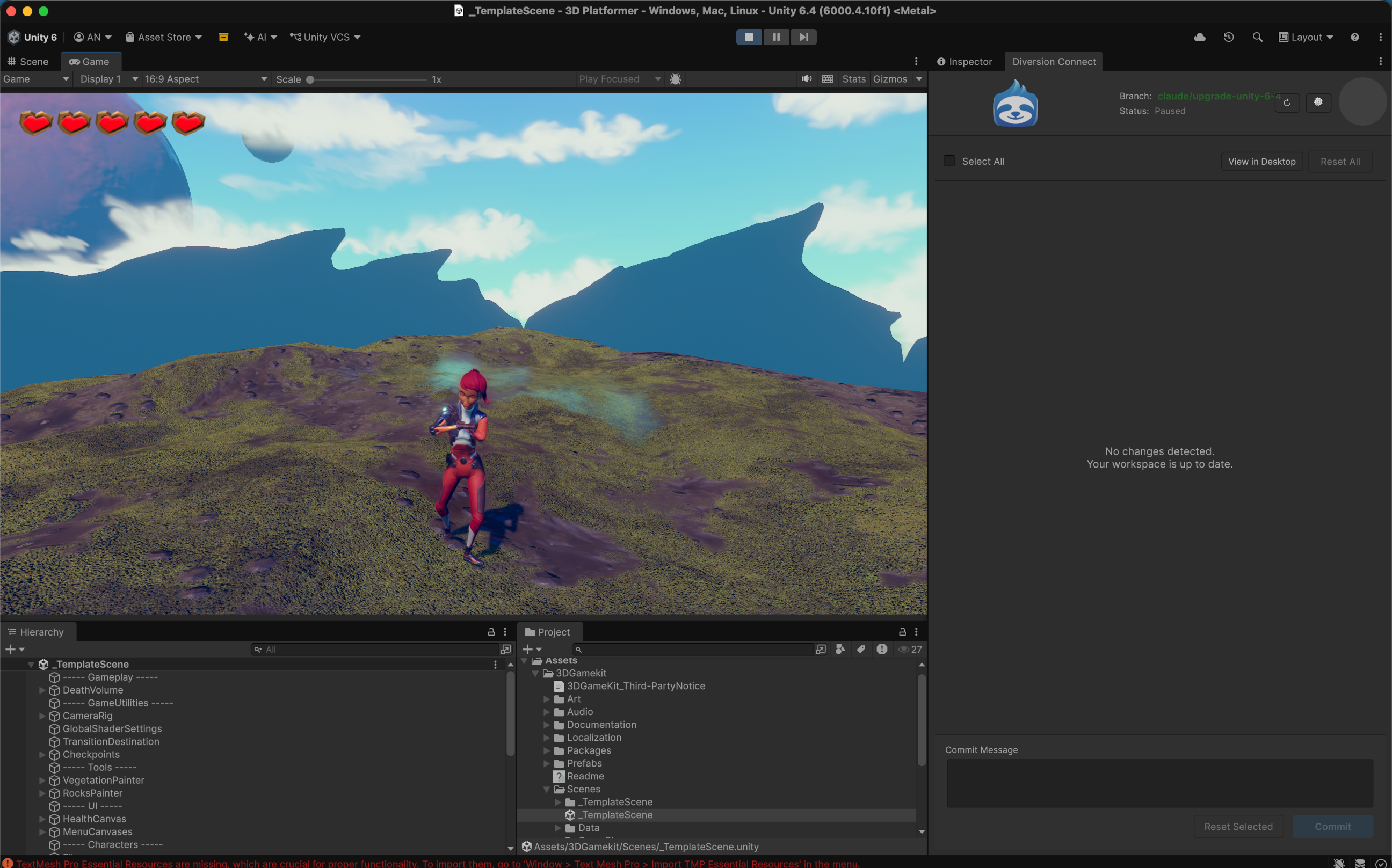
For this test, I used Unity’s 3D Game Kit. Which doesn’t work out of the box with Unity 6. So the task was to upgrade it to run on Unity 6.4 with Claude Code, and let Codex run a static optimization run. In parallel.
.webp)
The Diversion setup was: one branch and one workspace per agent. The branch isolates history; the workspace is a real working copy on disk so two agents can type at the same time instead of taking turns.
# A branch per task

dv branch -c claude/upgrade-unity-6-4

dv branch -c codex/optimize-scripts --no-checkout


# A second working copy for the second agent

dv clone "3D Platformer" "../3D Platformer-codex" --new-workspace --ref codex/optimize-scripts
Point a fresh Claude Code instance at each directory and let them run. When they're done, merge each branch back:
dv merge claude/upgrade-unity-6-4 --into main

dv merge codex/optimize-scripts   --into main
What actually happened when I ran two agents (Claude upgrading to Unity 6.4, Codex optimizing scripts): branches came back instantly, the per-agent clone was noticeably faster than the GitHub+LFS equivalent, and both branches merged to main with zero conflicts - including a shared file both agents had edited on different lines, which 3-way merged cleanly with both changes intact.
The honest caveat: the new workspace is a full working copy, so it does a real sync when you create it. On a big-asset project that's real disk and a real first download. But it was fast enough that reaching for the second agent never felt like a chore (which, after months of babysitting one agent at a time, is the whole point). And everything that did go wrong in the run was ordinary Unity toolchain noise (a corrupted package cache, a licensing hiccup) - never the version control. That's exactly what you want the VCS to do: nothing.

The takeaway
Running a swarm of coding agents on a game project comes down to one thing: give each agent an isolated workspace without paying a setup tax to get there. Git worktrees get you there through LFS configuration. Diversion gets you there with a branch and a clone. Spin up a branch per agent, a workspace per agent, and let them run.


