

If you need one repository to live inside another, a shared asset library, an engine, a set of internal tools, Diversion does this with submodules.
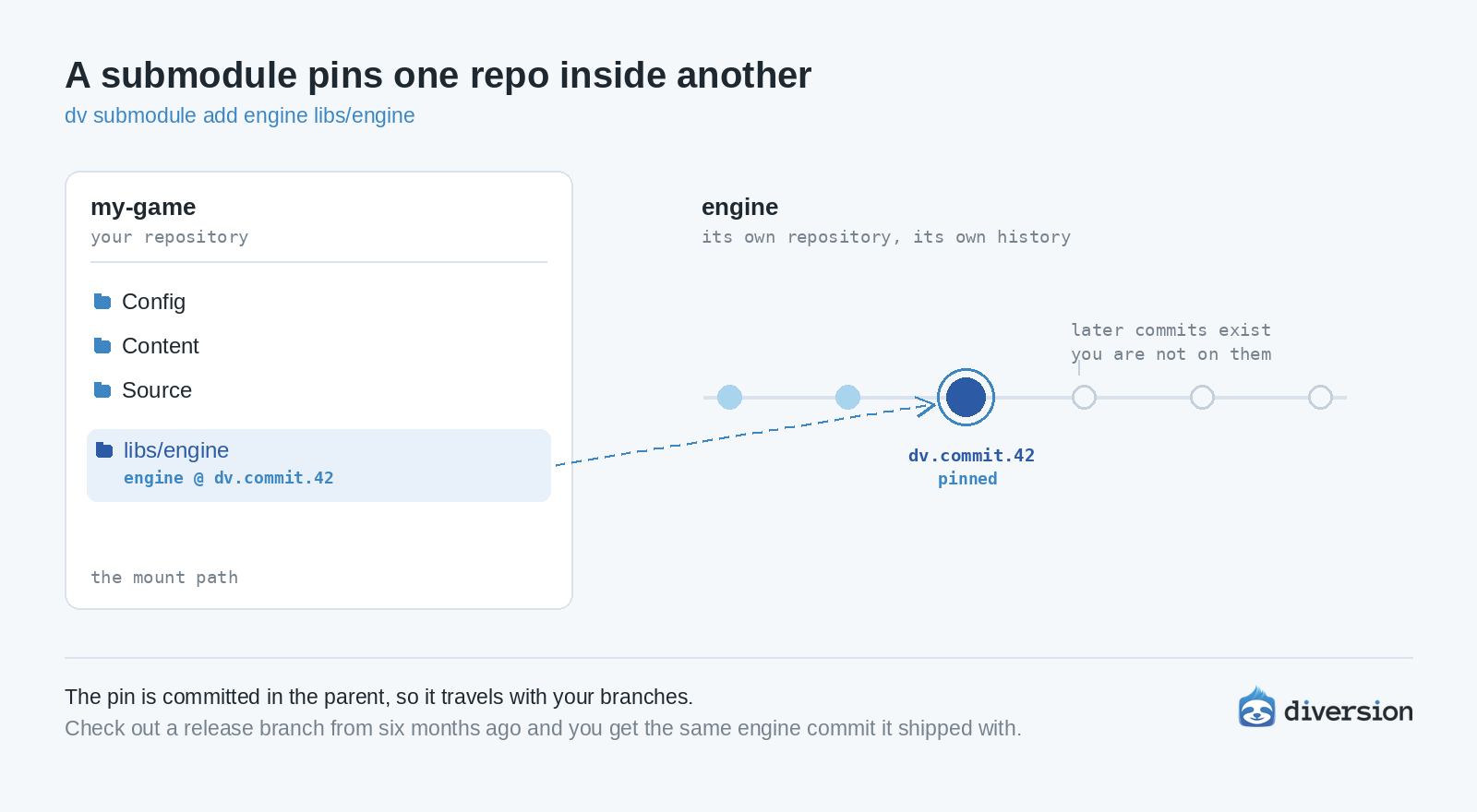
A submodule mounts another Diversion repo at a folder path inside your repo, pinned to a specific commit.
dv submodule add <repo> libs/engine
The dependency appears at libs/engine, and your project now points at one specific version of it.
Three things to know:
- The mount path is where the other repo appears inside yours.
- The pin is the commit your project points at. It is committed in the parent, so it becomes part of your history.
- The mount is a real working copy. You can check out a branch inside it, edit, commit, then move the pin with dv submodule repin.
What teams use it for
- A shared asset library that several projects draw from
- Engine source, or a custom engine fork
- Internal tools and pipeline scripts
- Third-party SDKs and middleware
- Several titles running on one shared framework
Each project pins the version it was built against, so updating one does not change the others.
Why the pin matters
Because the pin lives in your history, it travels with your branches. Check out a release branch from six months ago and you get the exact versions of everything that shipped with it.
Full reference, including status, update and rm: https://docs.diversion.dev/advanced/submodules


